Wednesday, December 23, 2009

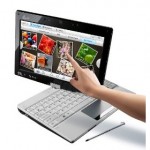
Toshiba JournE Touch

Look around the room at any meeting these days and you see the back of a lot of laptop screens, with as many people catching up on email as taking notes or doing relevant research. We've even met managers who go around the room shutting laptops to kick off the meeting.

Microsoft has long touted the idea that a tablet is more polite, more socially acceptable because it doesn't stop you making eye contact (and it's a little more obvious if you bring up your email). Although most of the interest in non-Windows tablet devices like the JooJoo (nee Crunchpad), the rumoured Apple tablet and Toshiba's JournE Touch (the only device that's actually shipping) has been for consumers, could tablets gain a place in business?

Probably (every other consumer device apart from the games console has); but the JournE Touch isn't ready to make that jump yet. To be fair, it's being targeted at consumer applications, as a simple browsing and video device for the home. The JournE Touch is a 7" tablet, running Windows CE 6.0 R3.


It's a reasonably capable device, built around an ARM 11 chipset, with an 800 x 480 pixel touch sensitive display. There's enough memory for applications and downloaded media, with 1GB of internal flash, and a SD card slot that supports up to 32GB SDHC cards (as well as USB host capability, which allows you to use USB storage with the device). There's no accelerometer for screen rotation, so you're left working in a wide-screen landscape mode. Even so, the metal case makes it feel solid, and the device is pleasingly curved, with ridges on the left side for a steady grip - so you'll be typing one handed.

With Windows CE's Internet Explorer Mobile 6, there's certainly scope for it providing access to most AJAX web applications - though only some of IE7's more advanced features have been included in its mobile cousin. Sadly the browser is let down by its input tools. The standard keyboard is small, and awkward to use, and in many applications (including the browser) input fields are replaced by full screen text entry panels, making it hard to fill in forms effectively. There's also limited support for media and rich-internet applications. Silverlight support is promised for a future update, and there's also scope for Toshiba to take advantage of the upcoming Windows CE version of Adobe's Flash Player 10.1. Built-in Flickr, YouTube and Picasa applications aim to replace web site functionality, though their look and feel comes from the JournE Touch's photo frame heritage.

There's some prospect for installing Windows CE applications, though at the moment Toshiba controls the only way to install applications: the device's online store. There is some scope for delivering business information via the built-in RSS reader, but it's much more a tool for information consumption than interaction.

There are Microsoft Office and PDF viewers for Windows CE; Toshiba hasn't included them on the JournE because it's aiming at the consumer market. A forthcoming ebook reader will add PDF support (as well as screen rotation and the open EPUB ebook standard). Although Toshiba has an online store for content, it hasn't yet decided whether third-party apps will be available through the store and there isn't currently a way to install extra CE apps yourself so you couldn't create a custom image.

Toshiba is considering business-oriented tablets for specific vertical niches, but the JournE Touch isn't a general business tablet - and with the current software revision, it struggles at being a consumer device. The €249 pricetag is too high for an occasional use office machine unless you’re a small business who also needs a photo frame that can display weather reports and RSS feeds and Facebook updates and double as an Internet radio player.

When Flash and Silverlight come along the JournE will be more interesting for running line of business apps on, but the price is still high when you could do all of that on a netbook that could also run standard Windows applications.

from : http://community.zdnet.co.uk/blog/0,1000000567,10014660o-2000667842b,00.htm
Read More......

Tuesday, December 22, 2009

Lenovo ThinkPad T400s Multitouch notebook


The touch screen on the Lenovo ThinkPad T400s Multitouch is responsive and accurate. It's not just a novelty; it can actually be useful if you're a photographer or designer. We also love the keyboard and build quality of the T400s laptop, but wish the location of some of the ports was more convenient.
With the release of Windows 7 and its inbuilt support for multitouch input and gestures, touch-screen computing is gathering steam. Not only can you get all-in-one PCs with touch screens and tablet-convertible notebooks, you can also get regular notebooks equipped with touch-sensitive displays. Lenovo's ThinkPad T400s Multitouch is one such laptop: it features a 14.1in touch screen that can recognise up to four finger inputs.
Click here for specs on Lenovo ThinkPad T400s Multitouch

Touch screen

The Lenovo ThinkPad T400s Multitouch is a Centrino 2-based laptop with VPro technology. It's aimed at business users as well as anyone else who wants to organise and manipulate files using their hands rather than a mouse or touchpad. While this may seem like it's of little use on a notebook that can't be converted into a tablet and manipulated with a pen, the accuracy and responsiveness of the T400s touch screen makes it a very useful feature. You can use your finger to navigate Windows 7's menu system, launch programs and manage files, as well drag windows to the side of the screen to utilise the Aero Snap feature.
Microsoft's Surface Collage program shows off what you can do when you use multiple fingers. It really is fun to rotate, zoom and move photos around the screen, rather than just clicking through them, and the screen doesn't move back while you tap it. The idea is that design and editing applications will be easier to use with the addition of a touch screen; for rotating and zooming models and images, it's perfect.

Moving, rotating and zooming pictures is easily accomplished with two fingers.
Lenovo includes a utility called Simpletap that lets you use your finger to change various systems settings. You can enable and disable the webcam, change the brightness and volume levels and switch on the keyboard light.

Apart from being useful, Simpletap is fun to use — you can flick the various icons across the screen and watch them bounce around.
The only thing about the screen we don't like is that it seems to be a little dim and hard to view from the sides.

New features

The latest ThinkPad T400s doesn't look too different to the T400s without the touch screen, and this isn't a bad thing — we think the original T400s is a five-star product. The new T400s offers many improvements over previous models, not least of which is the touch screen. You also get a tighter key placement, which reduces the chance of crumbs and other foreign objects slipping between the cracks of the keys (they still will though); there are dedicated buttons for VoIP applications that allow you to mute the microphone as well as adjust the volume; and, most importantly, Lenovo says that the T400s has been optimised for Windows 7.
Lenovo says it has worked hard with Microsoft to ensure that the T400s can boot up and shut down in as little time as possible. Tweaks were made to device drivers such as the wireless adapter, for example, to make sure that it can be enabled and disabled quicker than usual. The thing is, the ThinkPad T400s comes with plenty of preloaded software (Lenovo's own utilities included) that slows it down anyway. In our tests, using the notebook's default settings, the notebook consistently booted to the desktop in 49sec. We stopped timing from the moment the desktop was usable and we were able to launch programs, but some of the ThinkVantage utilities were still loading in the background. Shutting down from an idle state took only 11sec, and this was also consistent. A regular laptop, such as the ASUS UL80Vt, takes 44sec to boot and 11sec to shut down, so it seems the optimisations aren't going to see the T400s beating other laptops in boot-up competitions.

Physical features

The keyboard is an absolute joy to type on; if you're a touch typist, you'll love it. It feels rock solid and the keys are tactile. However, the keys do have plenty of resistance, so if you type lightly then you might not hit some letters hard enough and will end up with typos. In the middle of the keyboard is a TrackPoint device (otherwise known as an eraser head), which is convenient to use when the T400s is in your lap. A touchpad is also present and it has little bumps on it; at times, these can make you skin crawl (we'd prefer a smooth surface). We love the buttons for the TrackPoint and touchpad devices, as they are soft and don't make a clicking noise when you press them. The keyboard itself is also very quiet — you won't hear any rattling or clicking when you press keys, just a nice dampened thud. All of the keys are full sized except for the Windows key, function and arrow keys.
The build quality of the laptop is second to none; it has steel hinges to hold its screen perfectly in place, the roll cage is made out of carbon fibre, and the palm rest is made out of plastic. There's no creaking when you pick up the T400s from either corner and it takes a fair bit of effort to make the screen puddle when you press on the lid. If you use it on your lap, you will feel some slight warmth towards the rear of the base, but it won't be uncomfortable unless you are doing CPU-intensive work. There is a fan on the left side, as well as a vent, and it's barely audible.
What we don't like about the design of the chassis is the location of the ports. Because there is a built-in DVD burner, most ports have been placed on the back. There is only one USB port on the side of the notebook, and two more on the spine. One of them doubles as an eSATA port and another can also be used to charge an attached device when the notebook is powered down and plugged in to an outlet. It will charge Blackberrys, iPods/iPhones and other USB devices, but we couldn't get it to work with our Creative Zen. Toshiba's Sleep-and-Charge feature is more advanced in that you don't have to leave the notebook plugged in.
You get DisplayPort and D-Sub (VGA) ports for plugging in external monitors and there is also Gigabit Ethernet (an Intel 82567LM chip), 802.11n WiFi (Intel WiFi Link 5100) and Bluetooth.
There is a fingerprint reader on the palm rest, which doesn't get in the way when you type. It can be used not only to log you in to the system, but also to actually boot the computer. Simply swipe your finger and the computer will switch on and log you in automatically, saving you at least one step in the boot-up process. You also get a keyboard light, which is mounted in at the top of the screen's frame and can illuminate the keys when you type.

Configuration

The ThinkPad T400s is powered by an Intel Core 2 Duo SP9400 CPU with a 2.4GHz clock speed. You also get 3GB of DDR3 RAM, a 250GB hard drive, and an Intel GMA 4500MHD graphics adapter. This configuration mustered a score of 82 in our WorldBench 6 benchmark. Due to a configuration issue it wasn't able to the multitasking portion of the test, so the result isn't a complete one. It would have scored in the 90s had it completed that test. In the CPU speed tests, the ThinkPad T400s produced expected results: it recorded 1min 29sec in the iTunes MP3 encoding test and 1min 15sec in the Blender 3D test. It will be plenty fast for office work and image editing, and will even be able to run some design applications. A faster CPU is an option if you want more performance out of the T400s.
The ThinkPad T400s Multitouch has a 1.8in hard drive rather than a 2.5in model. This helps reduce the weight of the notebook slightly (the T400s weighs around 2kg) and produces less heat. But it also means that disk-intensive operations will suffer. It recorded only 15.58 megabytes per second in our transfer tests, whereas most notebooks with 5400rpm, 2.5in drives record at least 20MBps.

Battery life

In our video rundown test, in which we disable power management, turn up the screen brightness and enable the wireless radio, and then loop an Xvid-encoded video, the T400s lasted for 1hr 51min, which isn't very long. You can use the extensive power management utility to implement a strategy that will give the laptop more life.

Lenovo's power management utility is comprehensive and should allow you to get a lot more life out of the battery while you're on the road.

Conclusion

The T400s Multitouch is one of the best built notebooks on the market and the addition of a touch screen makes it a much more interesting proposition than the regular version. Its keyboard is solid and a joy to type on, and its multitouch screen is responsive and accurate. It could use better battery life and more ports along its sides. We also wish it had 4GB of RAM and a better graphics card option. Nevertheless, it's an impressive unit with adequate speed under its thin frame and is a great option for anyone contemplating touch-screen computing.
Read More......

HP's New Touch Screen Laptop and All-In-Ones Debut

HP is taking touch to the people, with new touch screen laptop and desktop models, all featuring Windows 7 and some shipping on Oct. 22, when the new operating system is formally introduced.

The new multi-touch models include a number of applications that take advantage of the interface, including Hulu, Netflix, Pandora, Recipe Box, a webcam "photo booth" application, and the HP Music Store.

* HP TouchSmart tx2 -- A laptop, starting at $799, with a 12.1-inch screen that rotates 180-degrees for use as a tablet. Besides touch commands, users can write or draw on the screen with an electronic pen. Available Oct. 22.
* HP TouchSmart 300 and 600 -- Are the third-generation of HP's touch-enabled desktops. The 300 has a 20-inch screen and the 600 (shown) has a 23-inch display. The 300 starts at $899 and will begin deliveries on Nov. 1, with the 600 due Oct. 22 and priced starting at $1,049. Read our review of the HP TouchSmart 600.
* HP TouchSmart 9100 -- An all-in-one desktop, starting at $1,299, which includes a 23-inch touch screen. It can be used as standard touch screen PC or tasked as a map or events kiosk in an office, hotel, or other location. Deliveries begin in December.
* HP LD42200tm -- A digital signage device with a 42-inch touch screen. Available in December for $2,799.

Besides touch screens, HP also introduced several business desktop and laptop computers as well as new value-oriented Compaq-branded desktops and a laptop.

The Compaq Presario CQ61z (where do they get these model numbers?) costs only $399 and features a 15.6-inch screen, after $100 instant rebate. The Compaq 500B business desktop sells for $359, while the new Compaq Presario 4010f desktop sells for $309.

My take: The laptop looks very interesting and I will consider purchasing one during my next upgrade cycle. I am not wild about reaching out to touch a desktop, although HP is pushing these models for entertainment and kitchen use, where touch makes some sense.

In the kitchen, the touch screen is meant to be used with recipes and other applications that can work entirely by touch when keyboard use isn't appropriate. Verbal directions are also provided.

The new Compaq's are a welcome addition to lowest-priced laptops and desktops. The laptop competes with netbooks on price and will win some of those battles.

David Coursey tweets as @techinciter and can be contacted via his Web page.

from : http://www.reuters.com/article/idUS322024206120091013
Read More......

Aspire 5738PG

Acer is one of the top developers of the world class laptops and it is striving to bring more perfection and quality to its products. The laptops of Acer are leading the others because of their new technologies and quality of work. The demand rate for Acer laptops is also increasing at an exciting rate due to their best performance. The laptop under review is the “Aspire 5738” which is the member of touch generation and the functionalities of this notebook are just more than being good. The laptops is running on the windows 7 platform and the touch screen facility has enabled the users to browse with more ease and now working on the internet is more like fun.


 sPhoto by iamjago


While considering the weight and dimensions it seems a little bulkier but this weight is nothing when it comes to the performance and features. The display is very much bright and even in the day light you can have the best view of the LCD display screen. The 4GB RAM provides extra power to this laptop and the windows seven atmosphere gives you the fastest and responsive approach to the interface. It is also incorporated with a wireless Wi-Fi facility and this is mainly because of the absence of Bluetooth in this laptop.


Features:

  1. The 15.6” HD display gives you the exciting multi touch capability so you can browse more effortlessly and you can also rotate and magnify with the single touch.
  2. The touch control of music, videos and pictures gives you instant and fast access to the multimedia. It simplifies the complex operations and thus makes them more intimate.
  3. The keyboard is very beautifully designed and the ease of use is also well thought while development.
  4. The windows 7 portal gives you fast speed and the fastest access for browsing into the whole laptop.
  5. The Dolby home theatre speaker served up very clean and loud sound and reduces noise in the sound quality.
  6. The peripherals are complete everything you want from a laptops is present at its best. There are Ethernet jacks, HDMI and VGA-out ports, four USB ports, microphone, headphone, S/PDIF jacks, a modem jack, and five-format memory-card slot.
Read More......

Monday, December 21, 2009

Eee PC T91MT features a 32GB pSSD Gen2 drive


t91mt-150x150One of the things that had me excited about netbooks when they first came out is that this is a chance to actually put SSDs into the mainstream. And then netbooks boomed. But… they seem to have left SSDs in the dust.
Okay, SSDs may be the future (no moving parts? Practically no defrags needed? Quick write times?), but it’s not quite ready for prime time just yet. For starters, it’s expensive. And for the price you’re paying, how many gigabytes are you going to get? 4? 8? 16? It’s something not worth it at the moment, if you ask me. This is why most netbooks after the first Eee PCs came out with hard drives instead.
Which brings us to the new Eee PC model being offered by Asus.

From Eee User:

Asus have revealed that their new Eee PC T91MT multi-touch netbook will feature the 32GB pSSD Gen2 drive from SanDisk. Asus chose this model from SanDisk’s offerings as it suits the netbooks low power needs and small form factor requirements.
If I remember correctly, this is the first Eee PC in a long time that has been offering an SSD. And if you’re wondering what else is new with the Eee PC T91MT, it comes bundled with Windows 7 Home Premium and supports touch gestures on its 8.9-inch screen such as rotating, pinching and swiping, let alone the fact that it can also be used as a tablet PC!
For those who were disappointed by the death of the the Crunchpad, it looks like we might actually have a serious contender to replace the its (non-existent) throne.
But unlike the Crunchpad, the Eee PC T91MT is a b it pricey though: it costs $532.


Read More......